
Balance checker
Check the remaining balance on a gift card online or at the point of sale.
Gift card balances can be checked in two ways: customers can check their balance online via the public Balance Checker, or store staff can check it in-store from the POS screen.
Customer self-service (Balance checker)
The balance checker is a public web page where a gift card recipient checks the remaining balance on a Globagift card. There is no account and no login: the recipient enters their gift card code and sees the balance.
It works for any Globagift card, so you do not need to set anything up for your customers to use it. Point them to it from an email, an SMS, a printed receipt, or your own website.
Where customers find it
- Standalone: balance.globagift.io
- Embedded on your own website (see Embedding on your site below).
What your customers see
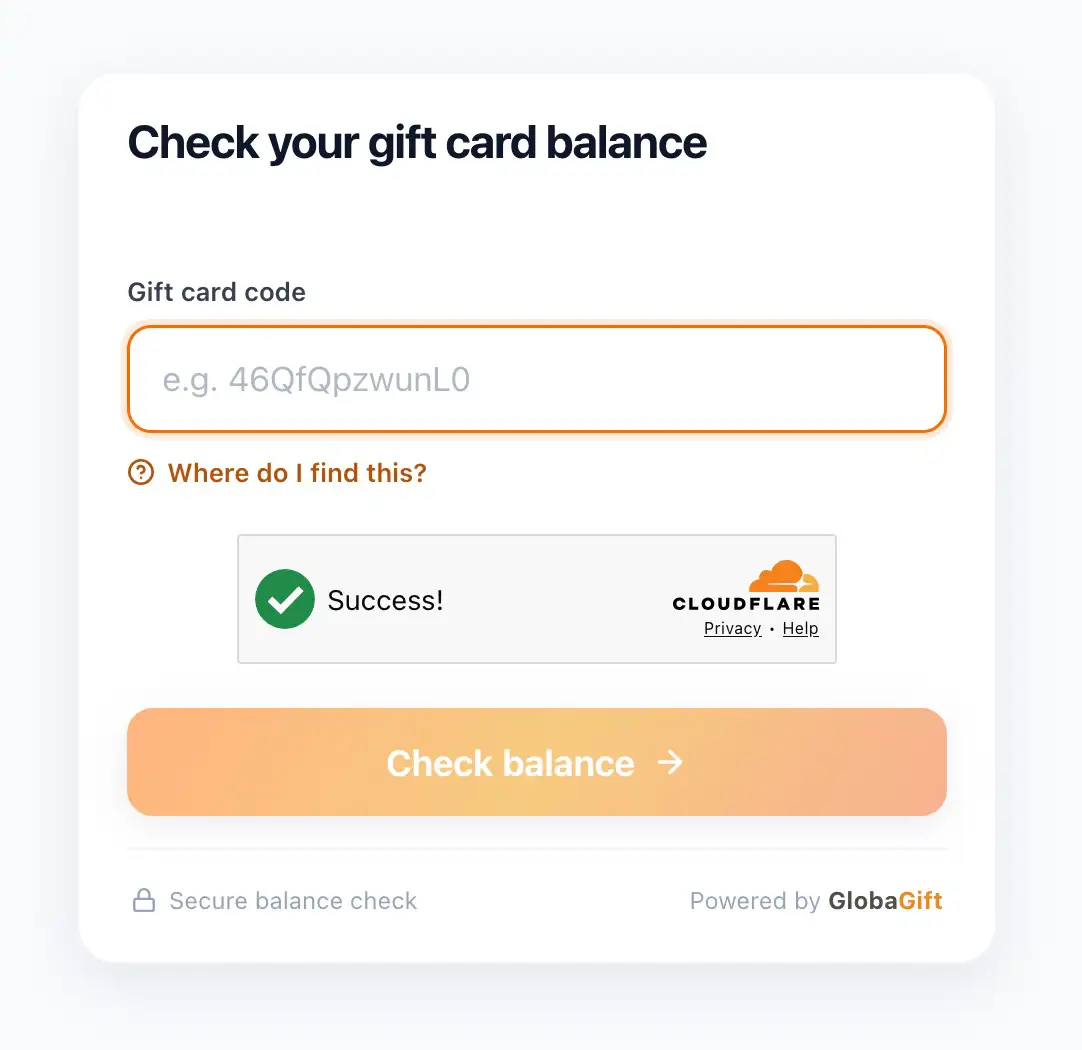
- The recipient enters their gift card code.
- Automated security checks run behind the scenes.
- On a match, the page shows the remaining balance, the card's currency, masked card details, and your merchant name.
A few deliberate choices keep the page trustworthy and safe:
- Balance only. The page shows the current balance, not transaction history.
- Card masking. Card details are masked on screen.
- Your name on success. The merchant name is shown only after a successful lookup, so the page reads as legitimate. Every state carries a "Powered by Globagift" trust mark.
If a code is not recognised, the page returns a single generic message.
Staff in-store check (POS page)
Store staff can also check a gift card balance directly from the POS screen.
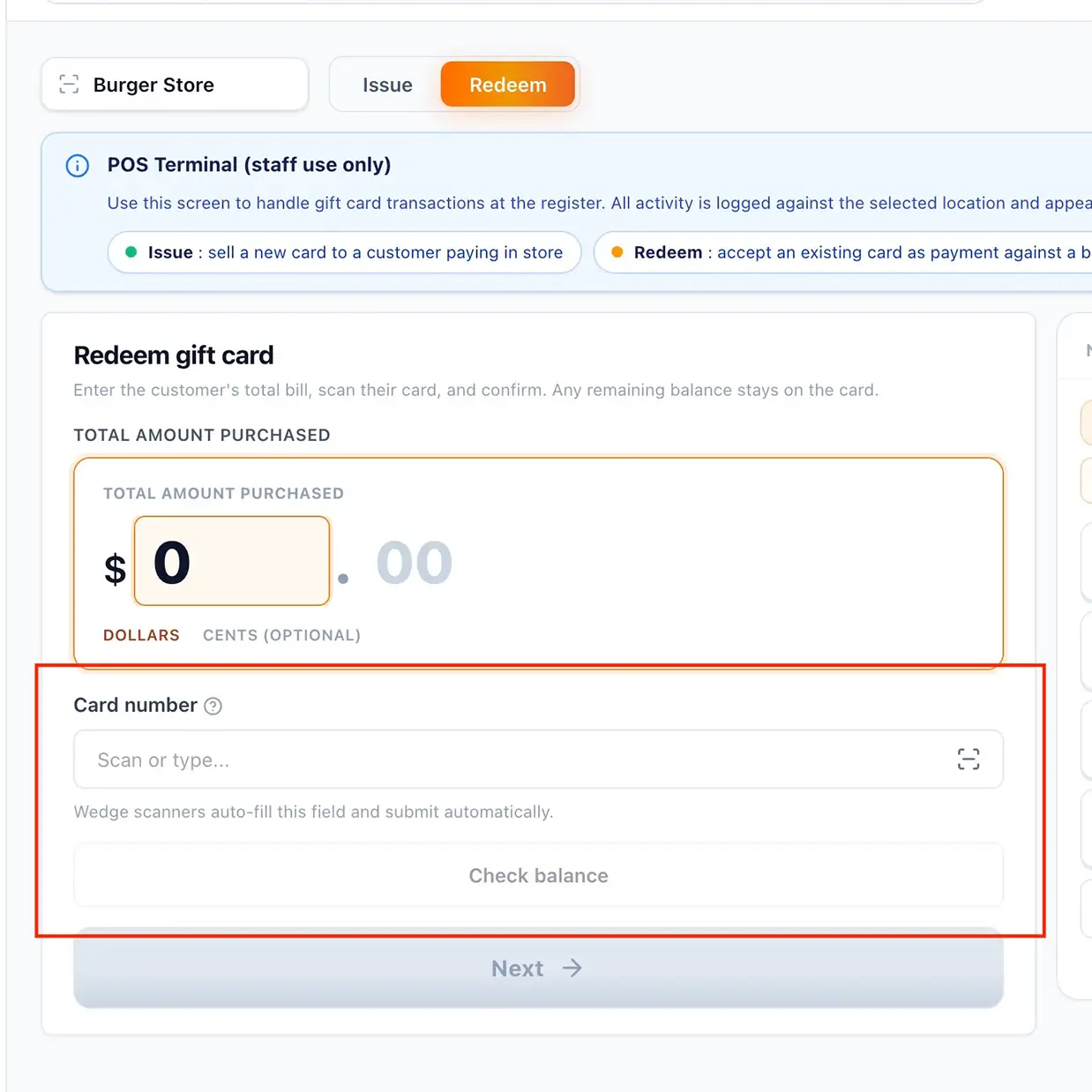
- Navigate to the POS screen and select the Redeem tab.
- Scan or enter the customer's Card number.
- Select Check balance to look up the current remaining balance on the card before redeeming.
For full point-of-sale instructions, see POS.
Branding
The page is merchant-agnostic and Globagift-branded: it carries the Globagift accent and a neutral gift card mark. Your business name appears on a successful lookup, drawn from the verified card balance response.
Embedding on your site
You can embed the checker in your own site with an iframe:
<iframe
  src="https://balance.globagift.io"
  title="Gift card balance checker"
  width="100%"
  height="640"
  style="border:0"
></iframe>
For security, the checker only allows embedding from origins that Globagift has approved. Contact Globagift support with the domain you want to embed it on so your origin can be added to the allow list.
Currencies and languages
More languages are planned. Amounts are formatted for the card's own currency.