
Gift cards
Create and manage gift card and refund card products.
The Gift cards section lists every gift card and refund card product on your account, and is where you create new ones.
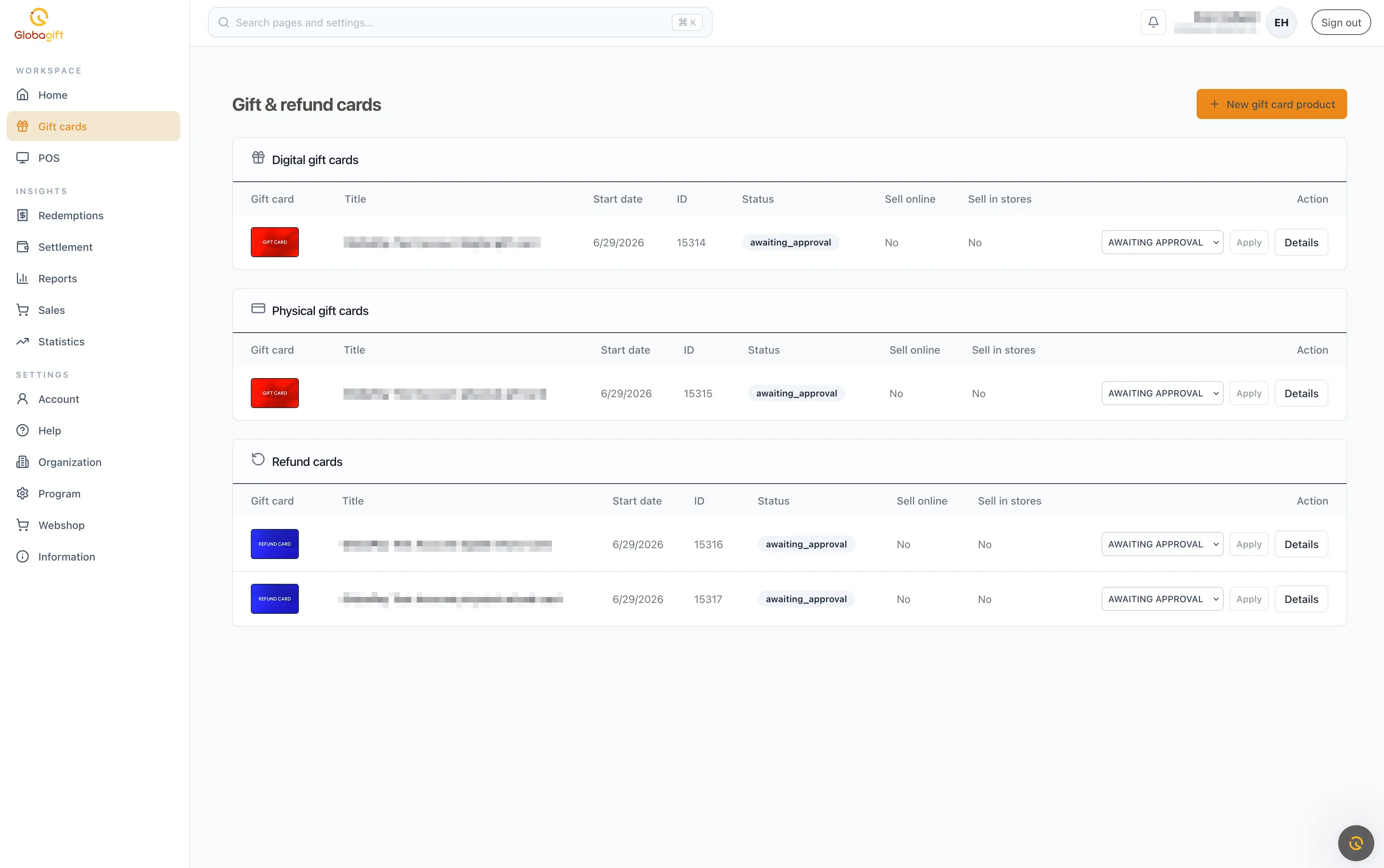
Gift cards vs. refund cards
- Gift card: a product customers buy, to give as a gift or for their own use.
- Refund card: used to issue a customer store credit, for example as an alternative to a cash refund.
Creating a gift card product
Click New gift card product to open the creation form.
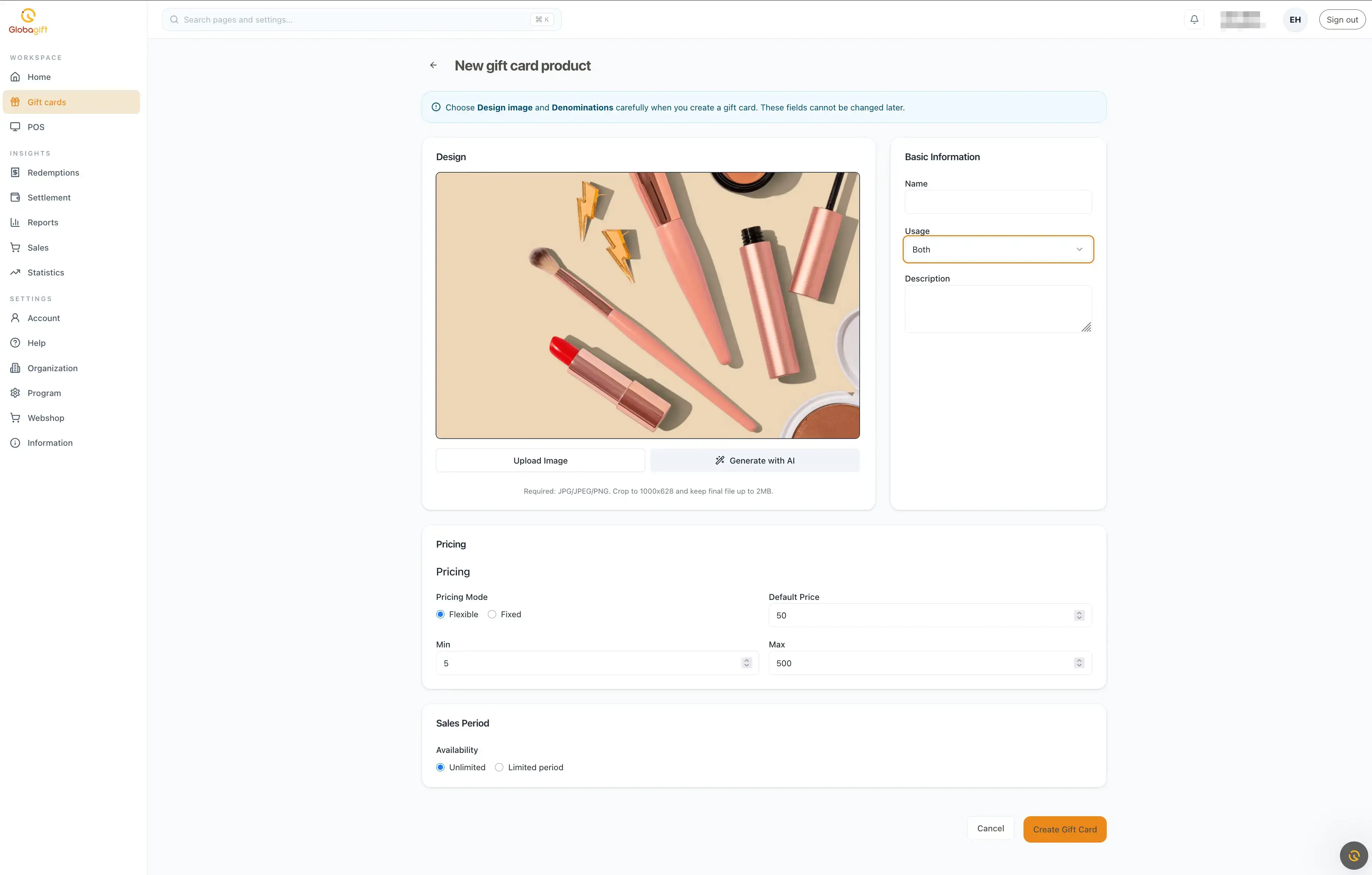
Choose carefully
Type, design image, and denominations cannot be changed after the product is created.
Design
Upload your own image, or use Generate with AI to create one. We support JPG, JPEG, or PNG files up to 2MB. The ideal dimensions are 1200x800 (3:2 aspect ratio), and our built-in cropping tool will help you adjust your image perfectly.
Basic information
- Name and Description of the product
- Usage: where the card can be redeemed
- Web: online only
- POS: in-store only, via a point of sale terminal
- Both
Pricing
Choose a pricing mode:
- Flexible: the customer picks any amount between a Min and Max value, with a Default Price pre-filled
- Fixed: the customer chooses from a fixed set of Denominations you specify as a comma-separated list (for example,
25, 50, 100)
Sales period
Set the product's availability to Unlimited, or restrict it to a Limited period.
Product status
Each product has a status, shown in the gift cards list:
- Available: live and can be sold
- Awaiting approval: submitted, pending review
- Canceled: no longer available for sale
Each product also shows whether it sells online, in stores, or both.
Under development
Day-to-day management of existing products (editing, pausing, and the full approval process) will be expanded here.