
Merchant Guides
Sales
Review gift card sales activity in the merchant dashboard.
The Sales view lists every gift card order placed through your account, online or in-store.
Summary
- Total orders: count of orders, all time.
- Gross card value: total gift card value for the current page of results shown.
All orders
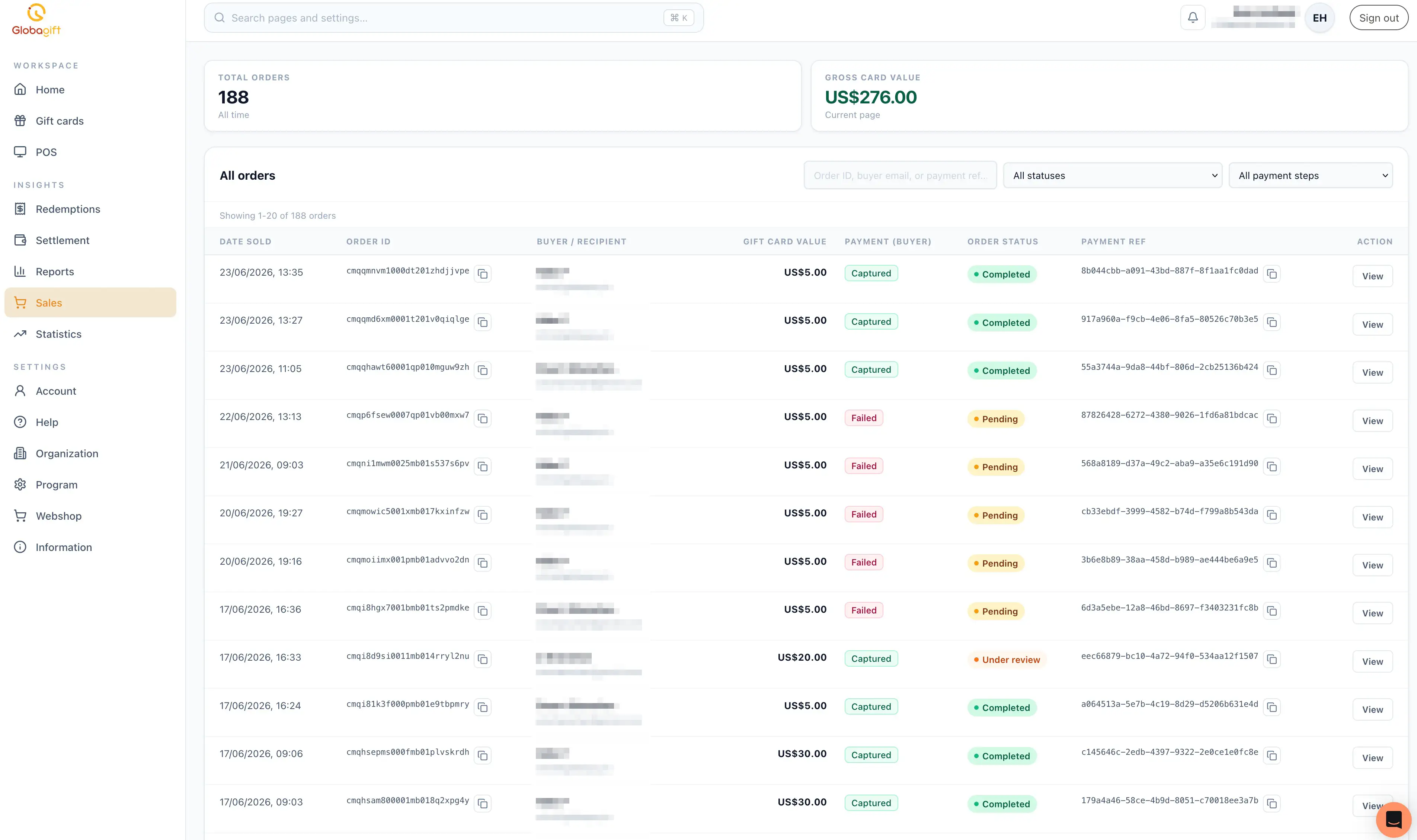
A table of orders, newest first, with:
- Date sold.
- Order ID, copyable.
- Buyer / recipient: name and email. These can differ, for example when a gift card is bought for someone else.
- Gift card value.
- Payment (buyer): the buyer's payment status, for example
CapturedorFailed. - Order status:
Completed,Pending,Under review, or similar. - Payment ref: the payment processor's transaction reference, copyable.
Use the search field to filter by order ID, buyer email, or payment reference, and the status/payment-step dropdowns to narrow the list further.
Order details
Selecting View on a row opens a detail panel with:
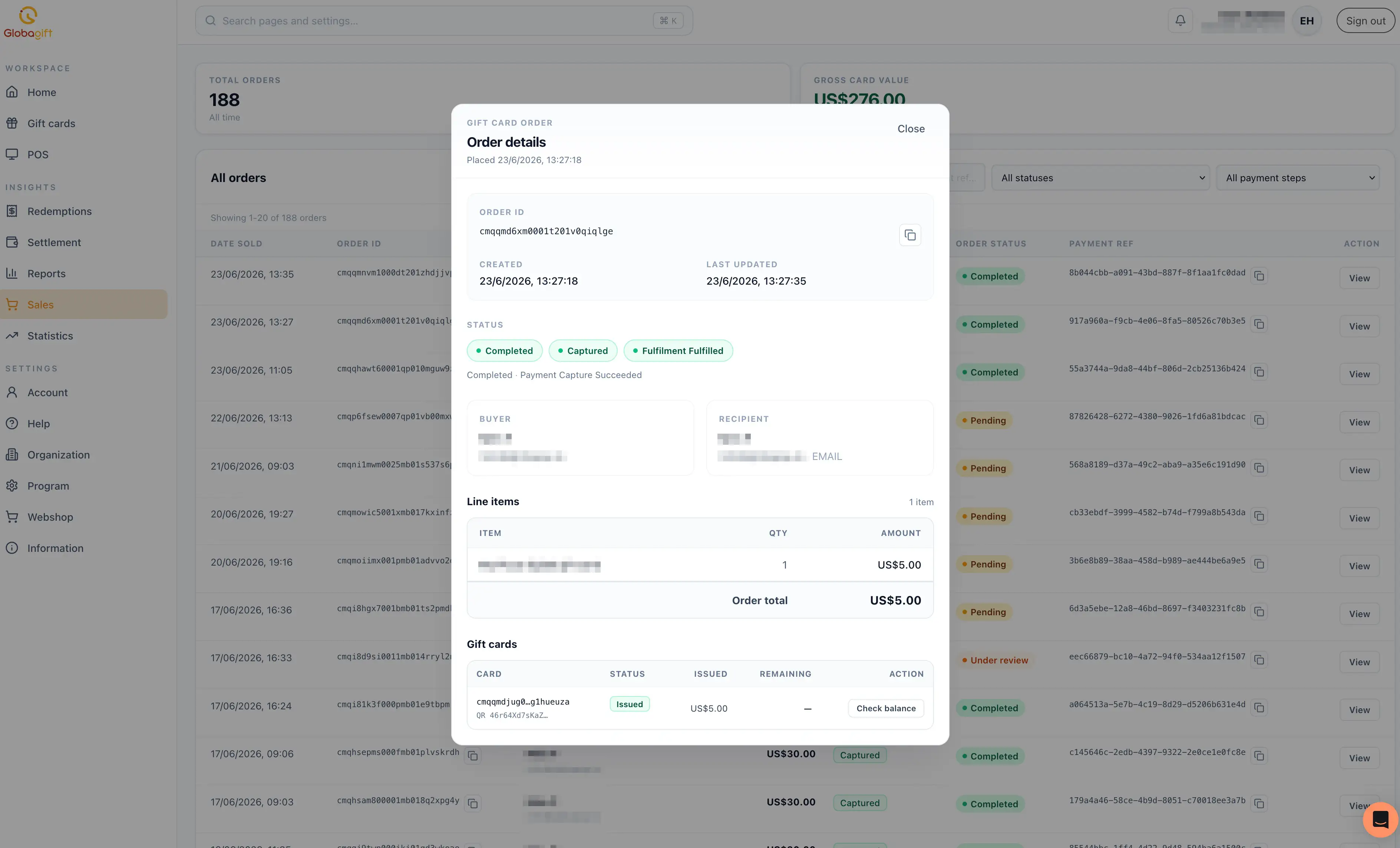
- Order ID, created and last updated timestamps.
- Status: badges for order status, payment status, and fulfilment
status (for example
Completed,Captured,Fulfilment Fulfilled), with a short plain-language summary. - Buyer and recipient: name, email, and the recipient's delivery
method (for example
EMAIL). - Line items: each gift card product purchased, quantity, amount, and the order total.
- Gift cards: the card(s) issued for this order, their status (for
example
Issued), amount issued, and remaining balance, with a Check balance action to refresh the balance from the card network.
A failed payment can still create an order
An order can appear with Failed payment and Pending status if the
buyer's payment did not go through. These rows let you see attempted
purchases, not just completed ones.