
Merchant Guides
Dashboard
Navigate the merchant dashboard and understand the main views.
The merchant dashboard at app.globagift.io is your control centre for running gift card programmes.
Layout and navigation
The sidebar is split into three sections:
- Workspace: Home, Gift cards, POS
- Insights: Redemptions, Settlement, Reports, Sales, Statistics
- Settings: Account, Help, Organization, Program, Webshop & Integrations, Information
Home
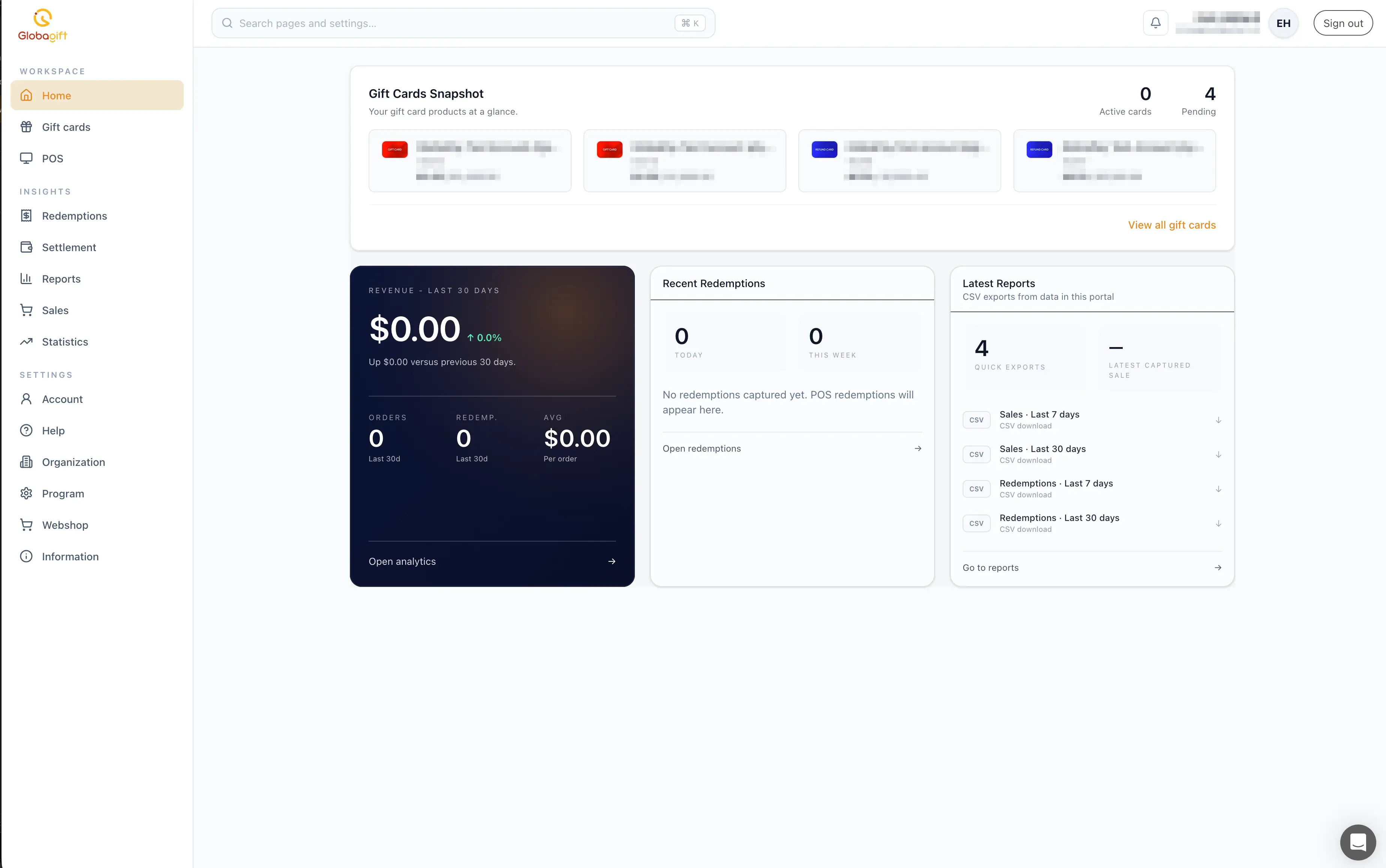
Home is the dashboard landing page. It gives you, at a glance:
- A snapshot of your gift card products, with active and pending counts
- Revenue over the last 30 days, with orders, redemptions, and average order value
- Recent redemptions
- Quick links to your latest CSV report exports
Under development
The remaining sections (Gift cards, POS, Redemptions, Settlement, Reports, Sales, Statistics) are covered on their own pages, several of which are still placeholders.