
Merchant Guides
Redemptions
Review gift card redemption activity.
The Redemptions view shows payment status and processor references for every redemption, whether made online or in-store via POS. It reflects redemption activity itself, not your settlement payout status.
Summary
At the top of the page:
- Total redemptions: count of redemptions, all time.
- Total redeemed: total value processed, all time.
- Successful redemptions: total successful value, with the count of failed records noted alongside it.
Redemption log
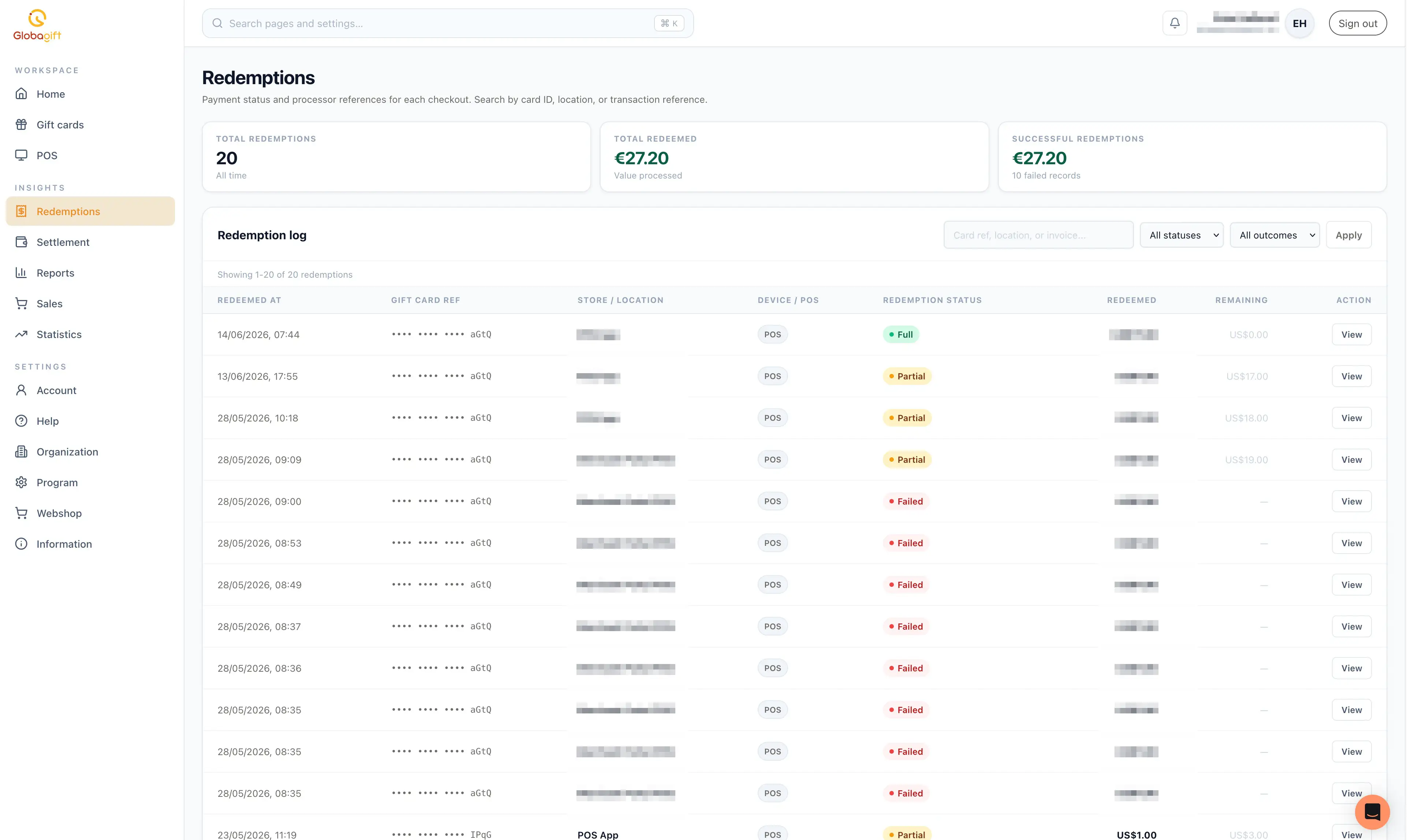
A table of individual redemptions, newest first, with:
- Redeemed at: date and time.
- Gift card ref: a masked reference to the card used.
- Store / location: which store or POS terminal the redemption was made at.
- Device / POS: the channel, for example
POS. - Redemption status:
Full(fully redeemed),Partial(some balance remains on the card), orFailed. - Redeemed: the amount redeemed in this transaction.
- Remaining: the balance left on the card afterwards, if any.
Use the search field to filter by card reference, location, or transaction reference, and the status/outcome dropdowns to narrow the list further, then select Apply.
Redemption details
Selecting View on a row opens a detail panel with:
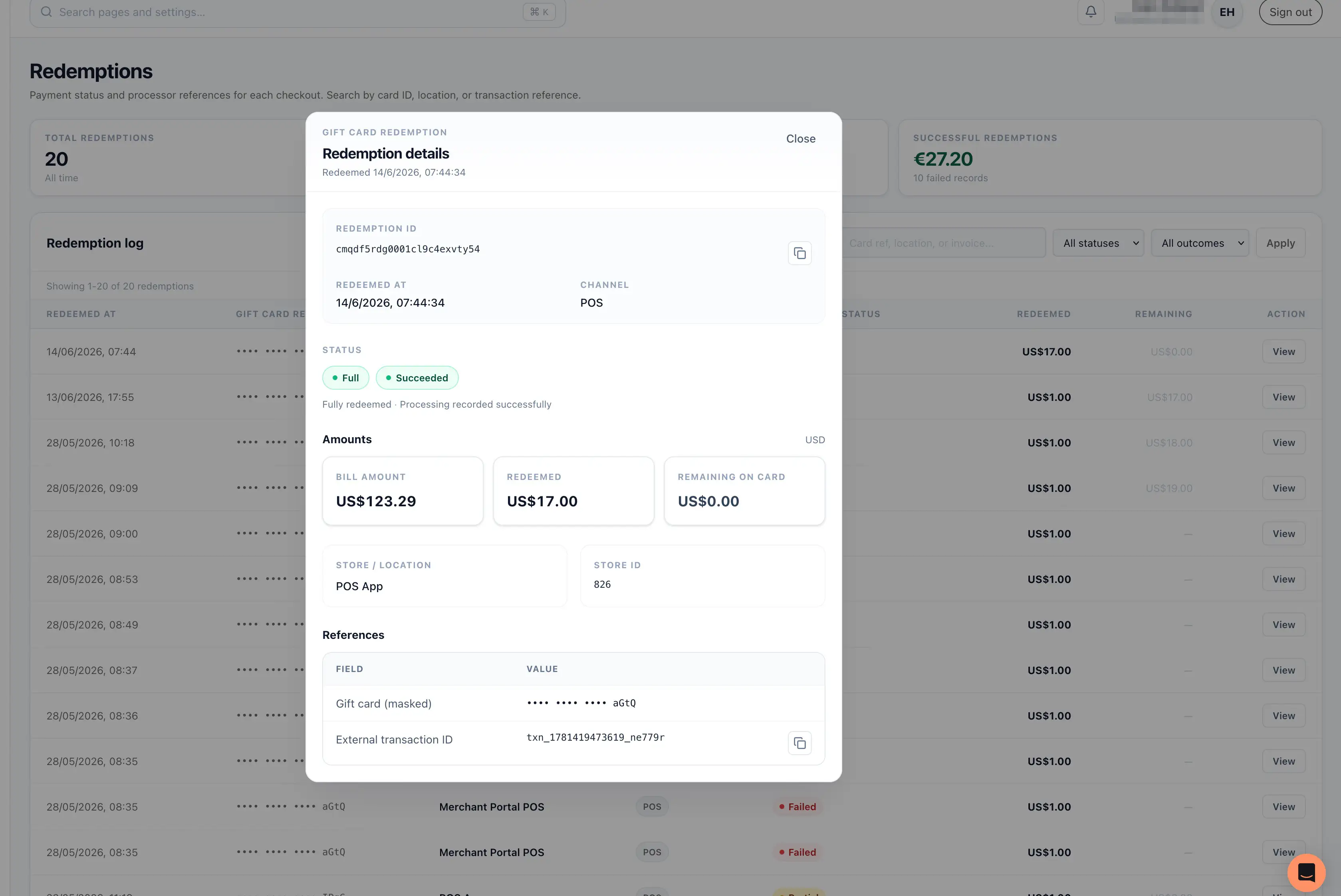
- Redemption ID, redeemed at timestamp, and channel.
- Status: a status badge (
Full/Partial) plus an outcome badge (Succeeded/Failed), with a short plain-language summary. - Amounts: the original bill amount, the amount redeemed, and the remaining balance on the card.
- Store / location and its store ID.
- References: the masked gift card reference and the external transaction ID, both copyable.
Failed redemptions are still logged
A failed redemption attempt appears in the log with a Failed status and
no remaining-balance figure, so you can see attempted-but-unsuccessful
activity alongside successful ones.