
Organization
Manage your business details and team members.
The Organization page manages team access and retail store locations for your merchant workspace. It has two tabs: Team and Stores.
Team
Lists current team members and pending invitations. Invitees must sign in using the same email address the invitation was sent to.
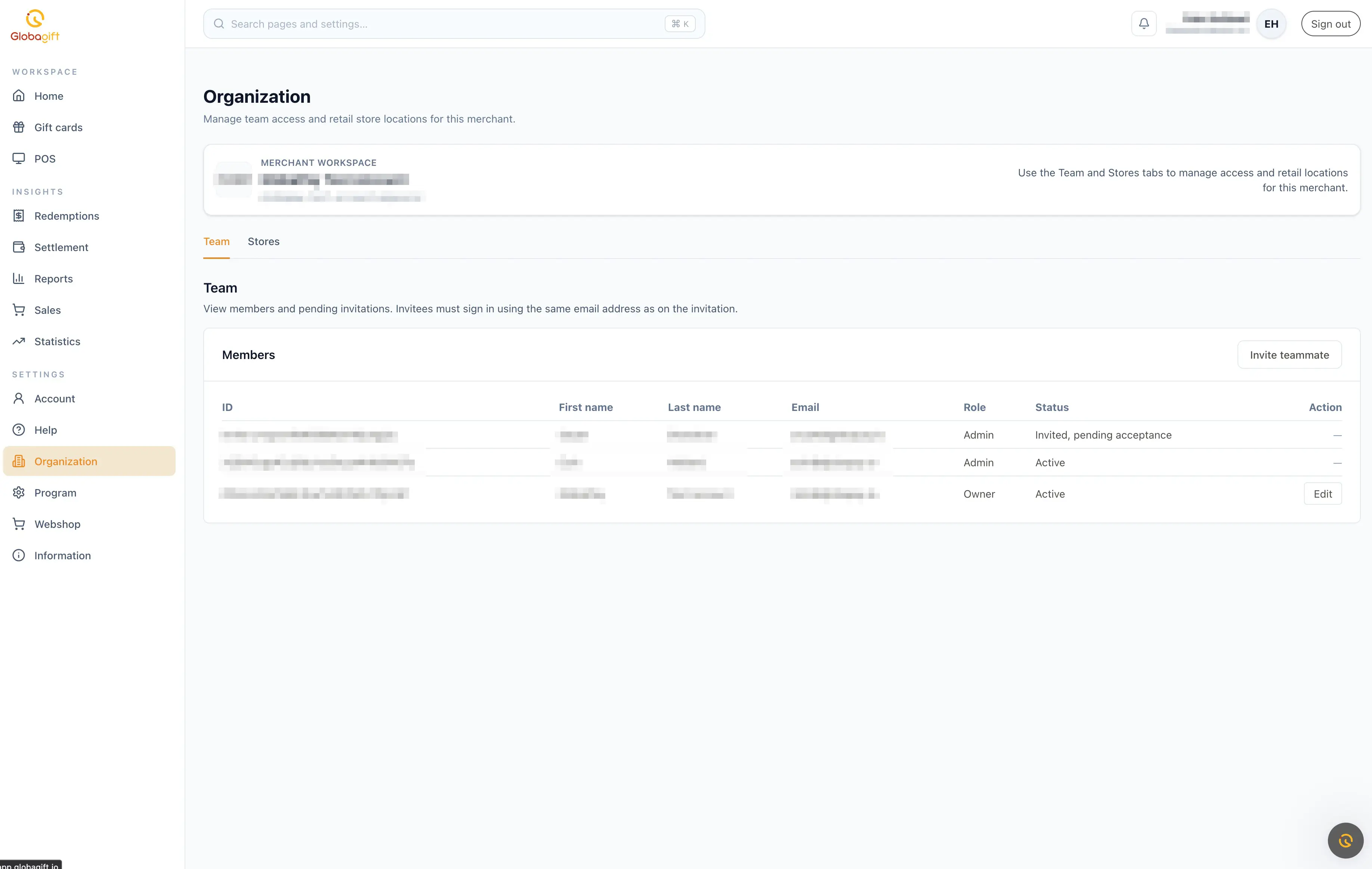
The members table shows, per row:
- ID: a user ID, or an
invite:prefixed ID for a pending invitation. - First name and last name.
- Email.
- Role:
Owner,Admin, a custom role, orViewer (read-only). - Status:
Activefor accepted members, or for invitations,Verification expired,Invitation expired, or similar depending on where the invite is in its lifecycle. - Action: an Edit control for active members, to change their role.
Select Invite teammate to start a new invitation.
Pending invitations can expire
An invitation's verification code and the portal join link it generates both have expiry windows. If a teammate doesn't complete sign-up in time, their row shows an expired status and a new invitation needs to be sent.
Stores
Manage your retail store locations, used to identify where POS sales and redemptions take place. These are the same locations selectable from the POS screen's location dropdown.
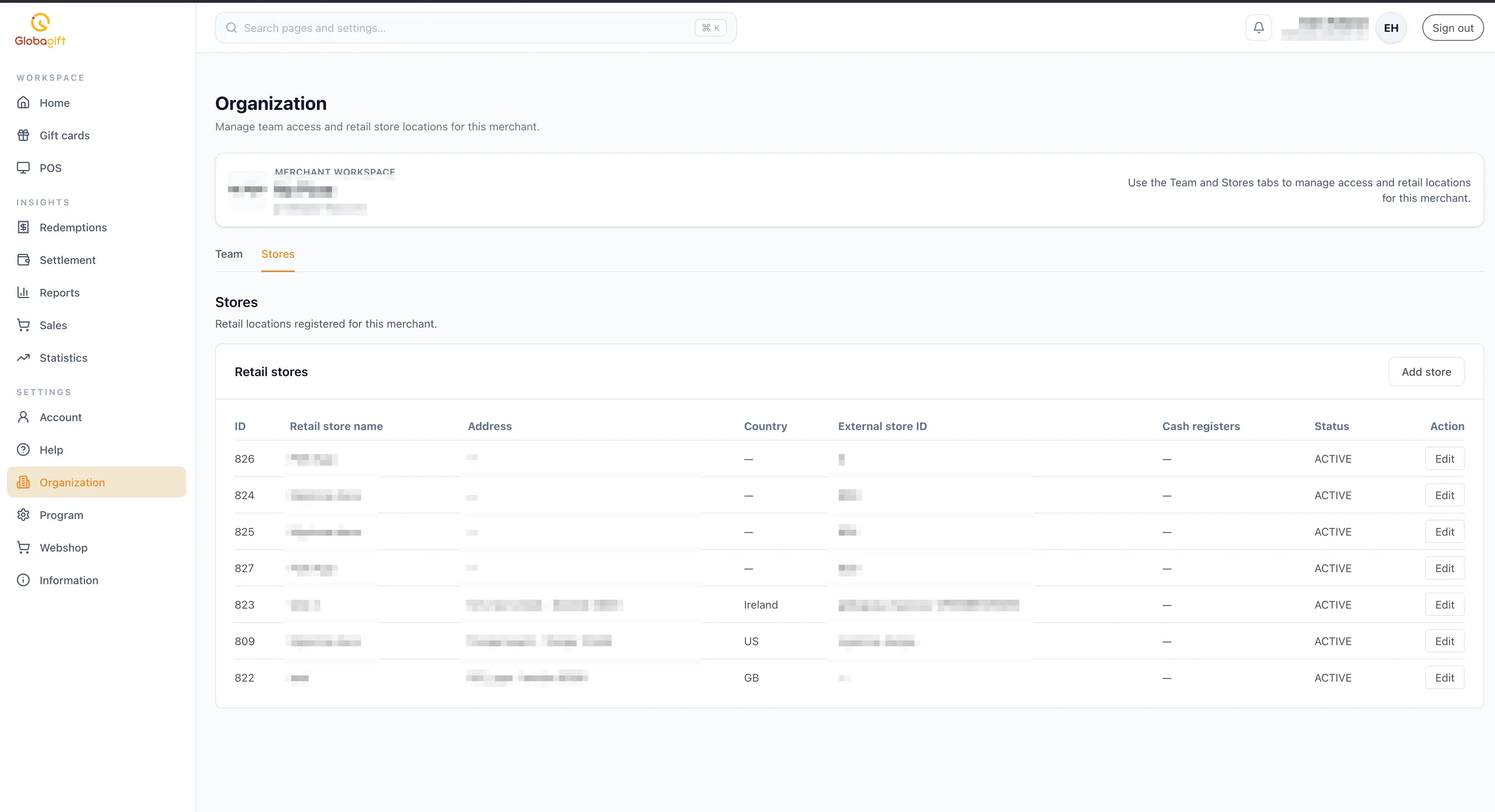
The retail stores table shows, per row:
- ID: an internal store ID.
- Retail store name.
- Address: shown as
—if not set. - Country.
- External store ID: an identifier you can set when creating or editing a store, for example to match a POS provider's own store reference.
- Cash registers: number of registers/terminals associated with the store, where tracked.
- Status: for example
ACTIVE.
Select Add store to register a new location, or Edit on a row to update an existing one.
Address and external ID are optional
A store can exist with no address or external ID set, useful for quickly adding a placeholder location (for example a default POS terminal) before filling in full details later.