
Webshop & Integrations
Configure the hosted webshop where customers buy your gift cards online.
The Webshop & Integrations page covers how customers reach your hosted gift card storefront: shared as a direct link, or embedded on your own site.
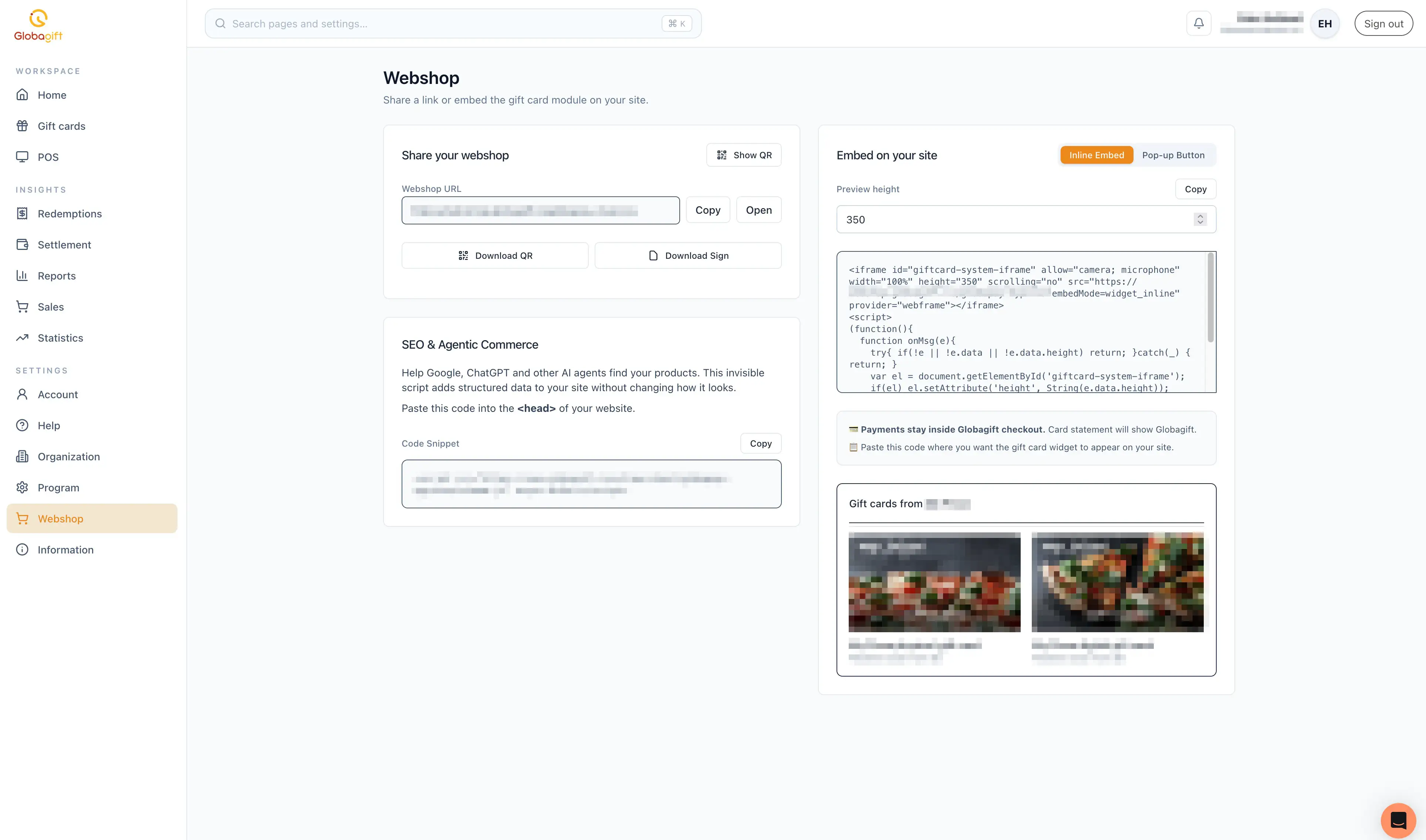
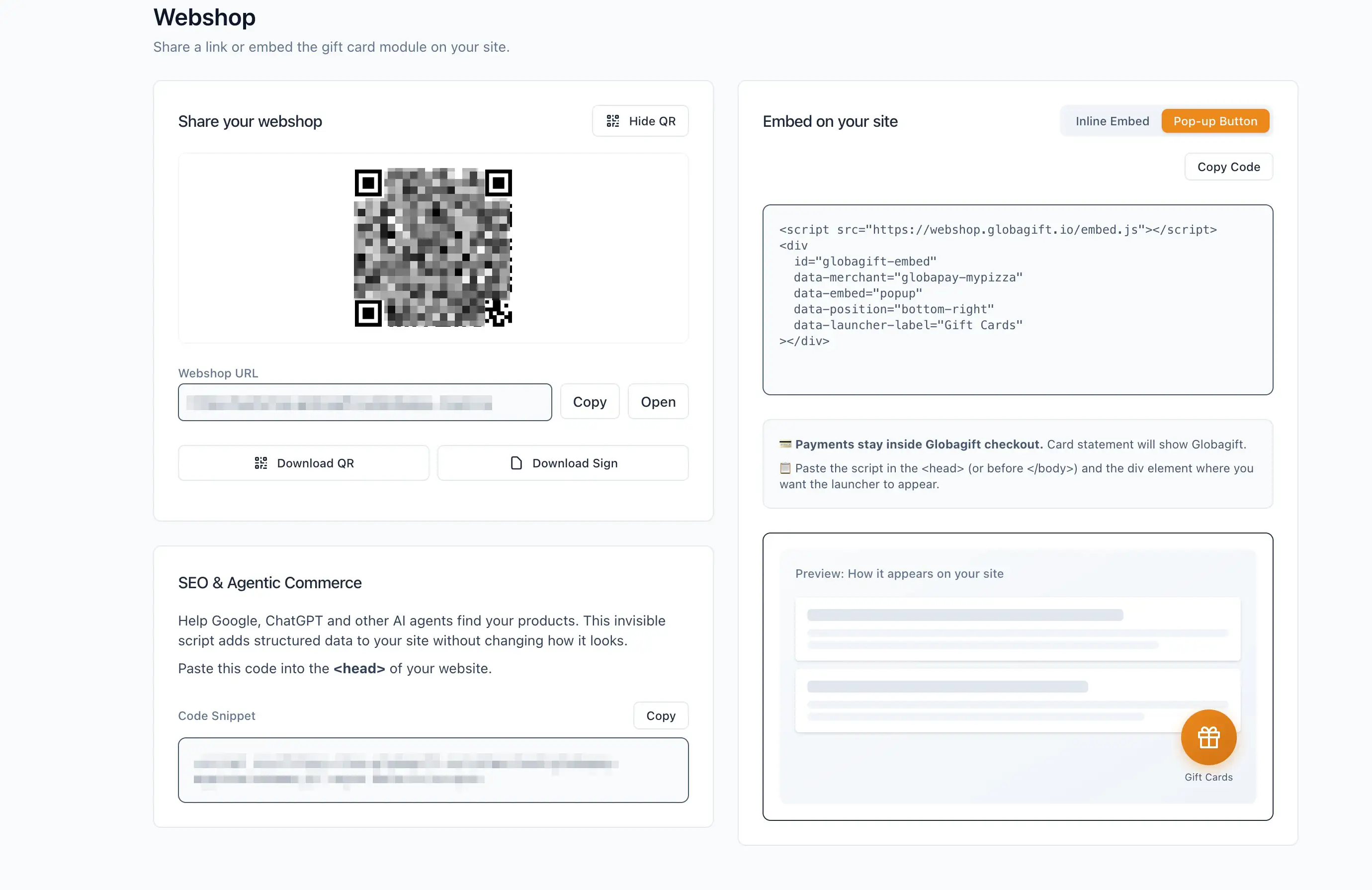
Share your webshop
Your Webshop URL (for example https://webshop.globagift.io/<your-merchant-id>)
can be copied or opened directly. Select Show QR to display a scannable
QR code for the same URL, useful for in-store signage; Download QR and
Download Sign provide ready-to-print versions.
Embed on your site
Two embed styles are available, switched with a toggle:
- Inline Embed: an iframe that renders the gift card module directly in your page. A Preview height field controls the iframe's height in pixels. Paste the generated snippet where you want the module to appear.
- Pop-up Button: a floating launcher button (positioned bottom-right
by default) that opens the gift card module in a pop-up when clicked,
with a configurable label (for example "Gift Cards"). Paste the script
in your page's
<head>(or before</body>) and the accompanyingdivwhere you want the launcher to appear.
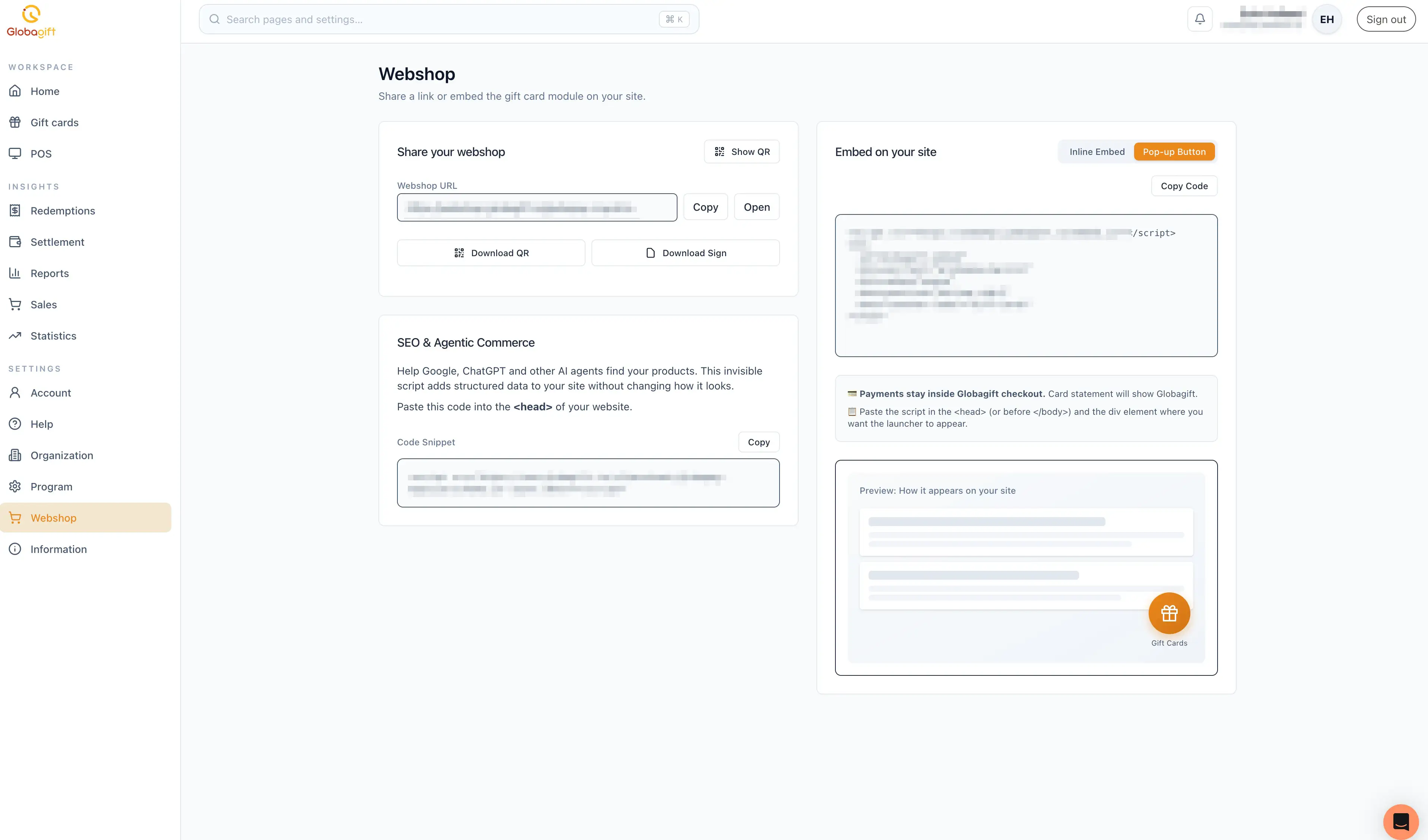
A live preview shows roughly how the embed will look on your site before you publish it.
Payments stay on Globagift
However it's embedded, checkout for the webshop happens inside Globagift's own checkout, not your site directly; the card statement customers see will show Globagift.
To optimize your site for search engines and AI assistants, see SEO & Agentic Commerce.