
Integrations
Integrations is the home for the selected brand's storefront, website embeds, and SEO snippet.
Share your webshop
Open the Webshop URL shown on the page. The storefront uses the brand slug and reads the products published for that brand. Use the generated URL for the selected brand.
Check the environment notice before sharing: a sandbox storefront is for testing. Test with a test brand, then select the intended live brand and confirm its URL before launch.

Share the balance checker
Add a link to balance.globagift.io so customers can check their gift card balance. See Balance checker for the customer instructions.
Embed on your site
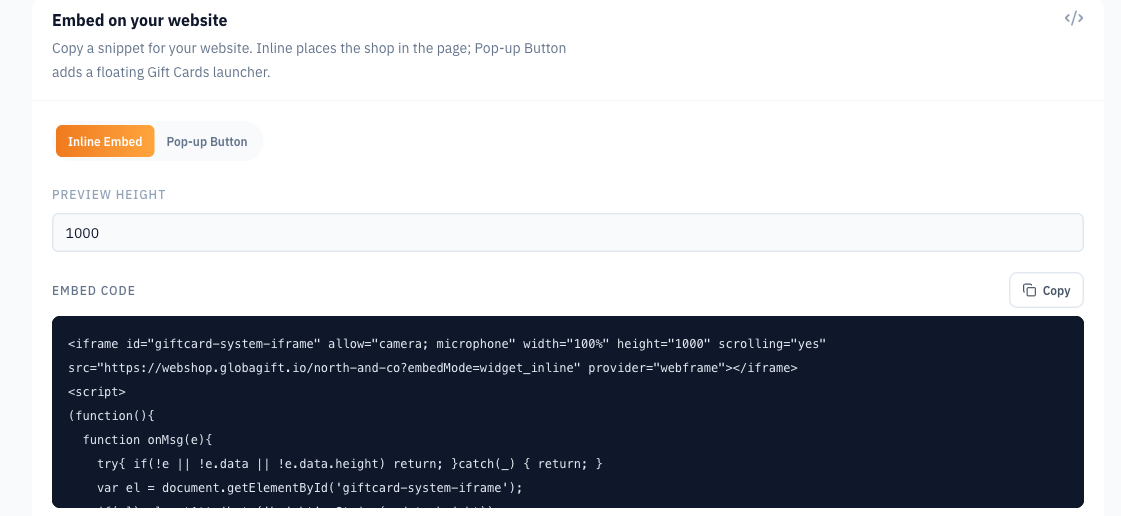
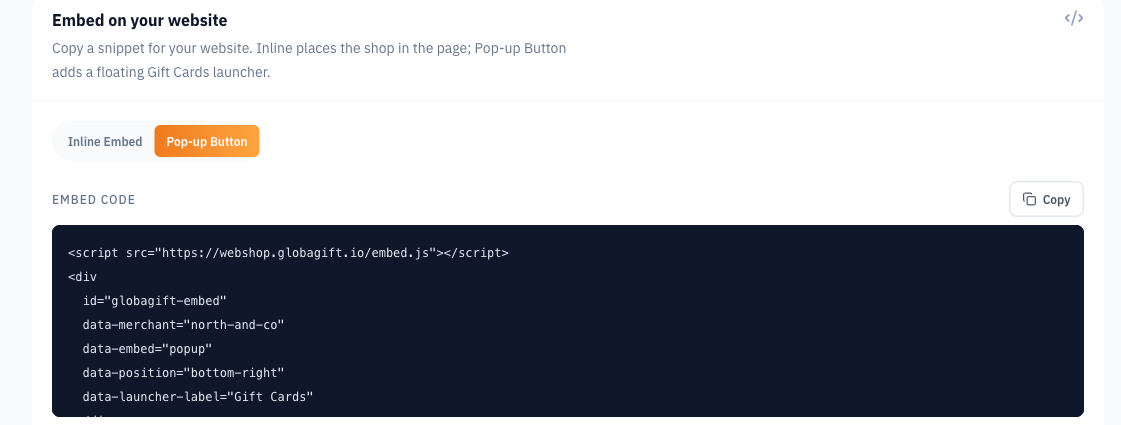
Under Embed on your site, choose:
- Inline Embed: places the shop within a page. Adjust Preview height, then copy the snippet to the place where the widget should appear.
- Pop-up Button: adds a floating Gift Cards launcher. Copy the snippet before the closing body tag so it can appear across your site.
Use Copy and paste the complete generated snippet. Your website must allow the required HTML or script. If your site builder restricts it, ask your website administrator to add it.
The same embedding approach can be used on websites built with Shopify, WooCommerce, Magento, or another platform that permits the snippet. These instructions do not require or promise a dedicated Globagift plugin.
Checkout remains within the Globagift storefront. Confirm the live payment configuration and customer-facing descriptor with support before launch.
SEO & Agentic Commerce
Help search engines and compatible AI shopping tools understand your brand and gift card products with the generated structured-data snippet. See SEO & Agentic Commerce for the benefits and setup guide.
Before you publish
Check published products under Gift cards, brand profile details under Information, and the storefront environment and payment configuration.
Bespoke API integrations
For connections to your own applications or business systems, see API / Developers for integration functions and developer access.
Information
Review organisation legal and verification facts in Globagift Information. Update brand profile fields and find brand identifiers and lifecycle status.
SEO & Agentic Commerce
Help search engines and compatible AI shopping tools understand your gift cards with Globagift structured data. Add your brand snippet without changing your website design.